Marble Run 3D
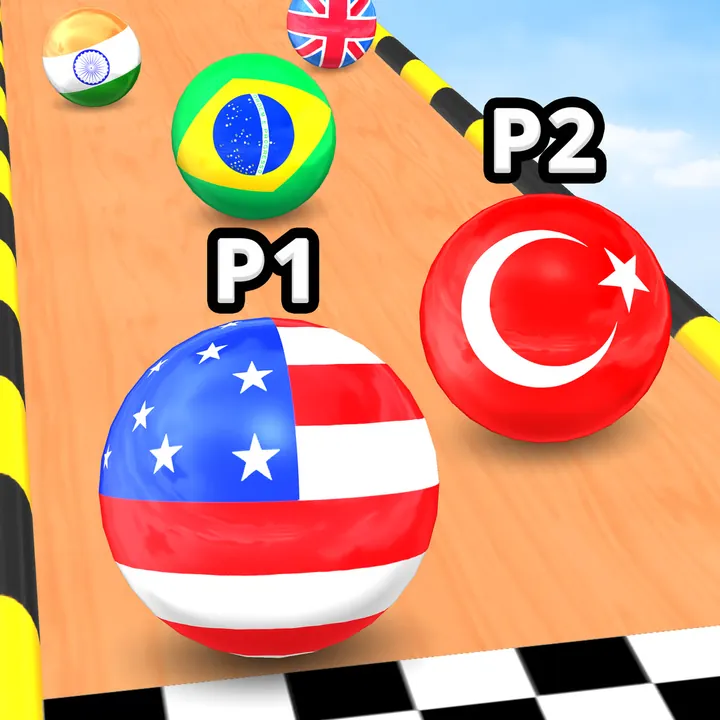
Marble Run 3D is a racing game from OSA Studio in which you pick your country's marble and race others down a track to the finish. It suits quick races, alone or with a friend.
Kyrelthrexfrost team · updated 29 September 2026 · KX-05
Poki cover
The game, described
Choose the marble of your country, then race it down a track against other marbles. The goal is the finish line.
The track is not empty. You can knock rival marbles off it, you have to dodge obstacles, and coins and loot boxes are there to collect on the way down. Challenge mode is there for practice.
Steering is side to side only: A and D or the left and right arrows on a keyboard, or move the cursor or your finger across the screen. You can race solo or with a friend.
Key schedule
General notes for early runs
Start in Challenge mode; it exists for practice.
Try both keys and cursor steering, then keep whichever feels steadier to you.
Rival marbles can be knocked off the track, so watch the marbles beside yours as closely as the obstacles ahead.
Coins and loot boxes are worth collecting, but not at the price of running into an obstacle.
Racing with someone else? The game can be played with a friend as well as solo.
Suits players who
Players who want short races with simple steering on any device, and anyone looking for something to race with a friend.
Points to weigh before starting
— Steering is left and right only, so there is less to master than in a full driving game.
— Loot boxes are among the pickups on the track, which is worth knowing if you would rather avoid that kind of mechanic.
— The game opens on poki.com, where Poki may show ads around it.
Related sheets on this site
- City Car Driving: Stunt Master →
The site's other racing game, with a full car and an open city instead of a track.
- Rainbow Obby →
Another course to the finish with obstacles in the way, climbed rather than raced.
Questions
Can I play Marble Run 3D with a friend?
Yes. Poki says you can play solo or with a friend.
How do I steer on a phone?
Move your finger across the screen. On a computer, use A and D, the arrow keys or the cursor.
Is there a practice mode?
Yes. Challenge mode is there for practice.